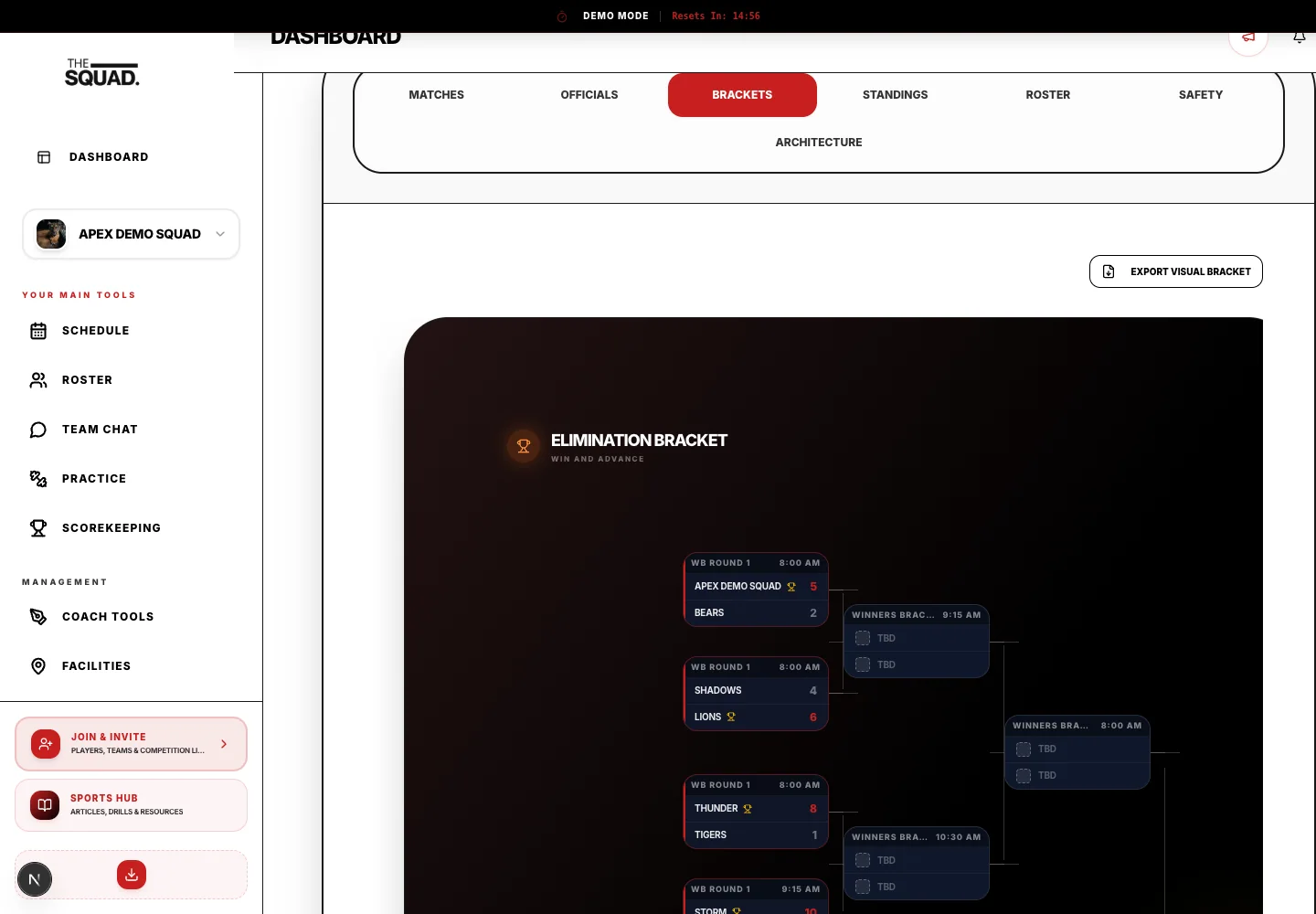
Live tournament scoring is the collection, verification and publication of results while an event is in progress.
Who checks a result before it changes the live bracket?
Assign an authorized results checker to verify the score record before publishing a result that changes advancement.
Walk through any amateur tournament without live scoring and you'll observe the same scene repeatedly: coaches checking in at the scoring table, parents asking anyone in an official-looking shirt, athletes hovering around posted printouts. The information vacuum creates frustration, interrupts officials, and creates congestion at information points.
Live scoring infrastructure solves all of this — and it's more accessible than most tournament directors realize.
What Real-Time Scoring Systems Do
A real-time scoring system connects score entry at the field/court to a publicly visible display: a website, app, live bracket display, or combination of all three.
When a scorekeeper enters "Team A 3 – Team B 1" at the end of a match, that result instantly:
- Updates the bracket
- Recalculates pool standings (if applicable)
- Updates next-game scheduling if the result affects it
- Becomes visible to anyone with the tournament link on their phone
The entire information chain — from final whistle to participant knowledge — takes seconds instead of 30 minutes.
Scorekeeper Workflow
The system is only as good as the people entering data. Your scorekeeper workflow needs to be:
- Simple (minimal taps or clicks to enter a result)
- Fast (shouldn't take more than 30 seconds per game)
- Error-correctable (easy to fix mistakes without voiding the entire result)
Train scorekeepers on the specific software before game day. Have a quick reference card at every scoring station. Designate one person as the "scoring coordinator" who monitors entries across all fields and catches delays or errors.
Displaying Live Results
Options for displaying live results:
- Tournament website/link — the simplest approach; participants check their phones
- Large screen displays at the venue hub — excellent for a central command area
- App notifications — push notifications when your game result is entered (highest engagement, highest setup effort)
- Posted bracket prints — backup system, printed every 30–60 minutes
The combination of a public tournament link (shareable in pre-tournament communications) plus physical displays at the main venue area serves most amateur tournaments well.
Handling Score Disputes
Every live scoring system needs a dispute protocol:
- Team representative raises dispute with site coordinator within 15 minutes of result
- Site coordinator reviews with both teams and scorekeeper
- Correction entered (if warranted) by scoring coordinator only
- All corrections logged with time and reason
Never allow coaches or parents to directly modify scores — all corrections go through a single designated person.
Tools and Platforms
Bracket software with live scoring:
- Challonge (free tier available, good for simpler events)
- Tourney Machine (youth sports focused, excellent mobile experience)
- SportsEngine HQ
- Demosphere
- PlayMetrics
For large events (100+ teams), evaluate platforms that allow distributed score entry across multiple devices simultaneously without sync delays.
Communicating the Live Scoring Link
Participants who don't know the link exists won't use it. Promote it aggressively:
- In all pre-tournament communications
- On your tournament website
- At check-in (include in check-in packet)
- Via QR code posted at every field/court entrance
- In your tournament-day morning announcement
When participants know exactly where to find results the moment they're posted, the information vacuum disappears — and your staff stops fielding the same question 200 times.
Live Bracket Updates: Keeping Participants in the Loop
The Engaged Participant Problem
In an era where people expect real-time sports data on their phones, a tournament that posts updated paper brackets every hour feels archaic. Athletes and families disengage. They wander. They crowd the information desk.
Live bracket infrastructure — properly set up — keeps participants engaged, informed, and out of your staff's way.
What "Live Bracket" Means
A live bracket updates automatically when scores are entered. Participants check the live link on their phones and see:
- Current bracket with all completed results filled in
- Pool standings updated after each game
- Upcoming game assignments once bracket advancement is determined
- Next game time and court/field assignment
The ideal: a participant who just finished a game opens their phone and sees their next game time and opponent within 60 seconds of the final whistle.
Setting Up Live Brackets
Step 1: Choose a platform with live bracket capability (Tourney Machine, Challonge, SportsEngine, Demosphere)
Step 2: Build your bracket/pool structure in the platform before the tournament
Step 3: Configure public link or app — this is the URL/QR code you share with participants
Step 4: Train scorekeepers to enter scores immediately after games, not in batches
Step 5: Test the entire flow before game day: enter a test score, verify it appears live within 30 seconds
Promoting the Live Link
The best system fails if participants don't know about it.
Promote in:
- Pre-tournament information email (make it the most prominent link in the email)
- Check-in packet (print as QR code)
- Posted signage at venue entrance and each field/court
- Tournament-morning announcement
If participants haven't accessed the link by their second game, have volunteers proactively show them how.
Physical Backup Displays
Technology fails. Print bracket updates every 30–45 minutes and post them:
- At the central information area
- At each field/court entrance
- Near concessions (high traffic area)
Label each print clearly with the print time so participants know how current it is.
Bracket Update Frequency Expectations
Set participant expectations. In your pre-tournament communications:
"All results will be live at [link] within 5 minutes of each game's completion. Pool standings update automatically."
Under-promise and over-deliver. If you consistently update within 2 minutes, participants trust the system.
Handling Late Score Entry
When a scorekeeper forgets to enter a score immediately, pool standings appear incorrect. Designate a scoring coordinator who monitors entries and chases up missing results. One person responsible for overall data integrity is far better than no one monitoring.
Tournament Scoring Systems Explained: Points, Tiebreakers, and When to Use Each
Pool Play Scoring Systems
Standard 3-1-0 (Win 3, Draw 1, Loss 0): The most common globally. Strongly rewards winning over drawing. Best for most team sports.
Modified 2-1-0 (Win 2, Draw 1, Loss 0): Better for youth tournaments where goals should be limited; reduces score-running in blowouts.
Win/Loss Only (No Draws): Every game produces a winner via overtime or penalties. Best for short-format competitions.
Goal Differential Rules: Handle With Care
Goal differential as a tiebreaker encourages score-running in blowouts. If you use it: cap it (e.g., "+5 per game maximum"), and use it only as a tertiary tiebreaker.
The Recommended Tiebreaker Sequence
- Head-to-head result (if tied teams played each other)
- Fewest goals allowed (defensive record)
- Goal differential (capped)
- Most goals scored
- Coin flip / drawing of lots
Why fewest goals allowed before goal differential? It rewards defensive quality and discourages score-running.
Communicating the System
Every team should receive the scoring rules in writing before their first game. Include: points for win/draw/loss, tiebreaker sequence in order, what happens if teams are still tied after all criteria.
Post the system prominently at the tournament central board.
Knockout Stage Fairness
The seeding method matters. Publish the seeding method before the tournament, not after pool play. Teams should know the stakes of every pool game before they play it.
Training Scorekeepers for Accuracy and Speed
The Underappreciated Role
Scorekeepers sit at the table every game, often unthanked, recording the data that drives your entire bracket. A single scorekeeping error — an incorrect final score, a game recorded for the wrong teams — can disrupt pool standings, trigger disputes, and undermine the fairness of your tournament.
Well-trained scorekeepers prevent these problems. Untrained scorekeepers create them.
What Scorekeepers Do
Depending on your sport and platform, scorekeepers:
- Record real-time score (some sports) or final scores (most amateur events)
- Record significant events (penalties, cards, player-specific stats if required)
- Enter results into your digital scoring platform
- Verify results are correct with both team representatives before submitting
- Escalate disputes to the scoring coordinator
Before Game Day: Training
Run a 30-minute scorekeeper training session before the tournament opens.
Training agenda:
- Overview of the scoring platform (live demo, not just verbal)
- Walk through a complete game scenario: how to open the game record, enter score, submit
- Error correction procedure: what to do if they enter a wrong score
- Game start/end verification: confirm start time and ending score with both team reps
- Dispute protocol: when to escalate, who to call
- Communication: their radio channel, who their supervisor is
Have each scorekeeper do a practice entry in the test environment before they handle a real game.
Scorekeeper Quick Reference Card
At each scoring station, post a laminated quick reference card:
- How to open and record a game (screenshots)
- Who to call for tech problems (name and radio channel)
- Who to call for disputes (name and radio channel)
- How to record a forfeit
- How to handle a score correction
This card saves minutes of confusion when scorekeepers encounter edge cases they didn't train for.
Verification Protocol
Before a scorekeeper submits any final score, they should:
- Read the score aloud to the head coach of each team
- Get verbal confirmation from each coach
- Then submit
This two-step verification eliminates the most common scorekeeper errors and gives coaches an immediate opportunity to flag discrepancies.
Quality Control
Designate a scoring coordinator who:
- Monitors all score entries in real time
- Flags entries that look incorrect (unexpected results, missing entries)
- Checks that all games from the previous round are entered before the next round begins
- Handles corrections
One person watching the data prevents the cascading problems that come from undetected errors.
Common Scorekeeper Errors and Prevention
| Error | Prevention |
|---|---|
| Scores entered for wrong teams | Verify team names against game record before entering |
| Score entered once when it changed | Use real-time entry if sport allows; final entry must be verified |
| Forgetting to submit | Scoring coordinator prompts within 10 minutes of game end |
| Tech login failures | Have backup credentials available; backup paper sheet at every table |
Sources and further reading
- Federal Trade Commission: Protecting Personal Information — The regulator’s guide covers collecting only needed information, restricting access and disposing of records safely.
- Google Drive Help: Share Files from Google Drive — The tool maker’s instructions explain viewer, commenter and editor access when sharing team files or footage.